> For the complete documentation index, see [llms.txt](https://docs.convai.com/api-docs/llms.txt). Markdown versions of documentation pages are available by appending `.md` to page URLs; this page is available as [Markdown](https://docs.convai.com/api-docs/zh/cha-jian-yu-ji-cheng/convai-unity-sdk/getting-started/configure-api-key.md).
# 配置 API 密钥
在 Unity 编辑器中输入并验证用于本地开发的 Convai API 密钥,这样 Convai 角色就能在你构建场景时进行身份验证。
Convai 的 Unity SDK 的 **API 密钥** 身份验证模式会直接从项目已保存的设置中读取与你的 Convai 账户关联的 API 密钥。使用此页面可在 Unity 编辑器中为本地开发输入该密钥——例如迭代场景、运行示例场景,或在仅由你控制的机器上进行测试。
{% hint style="warning" %}
API 密钥模式适用于本地开发,不适用于你分发的构建。在 API 密钥模式下生成的玩家构建会在随附的 `ConvaiSettings` 资源中包含你的账户 API 密钥,该密钥经过混淆但未加密。在构建任何计划发布的内容之前,请先阅读 [身份验证](/api-docs/zh/cha-jian-yu-ji-cheng/convai-unity-sdk/authentication.md) 并切换到 Auth Token 模式。
{% endhint %}
{% stepper %}
{% step %}
#### 复制你的 API 密钥
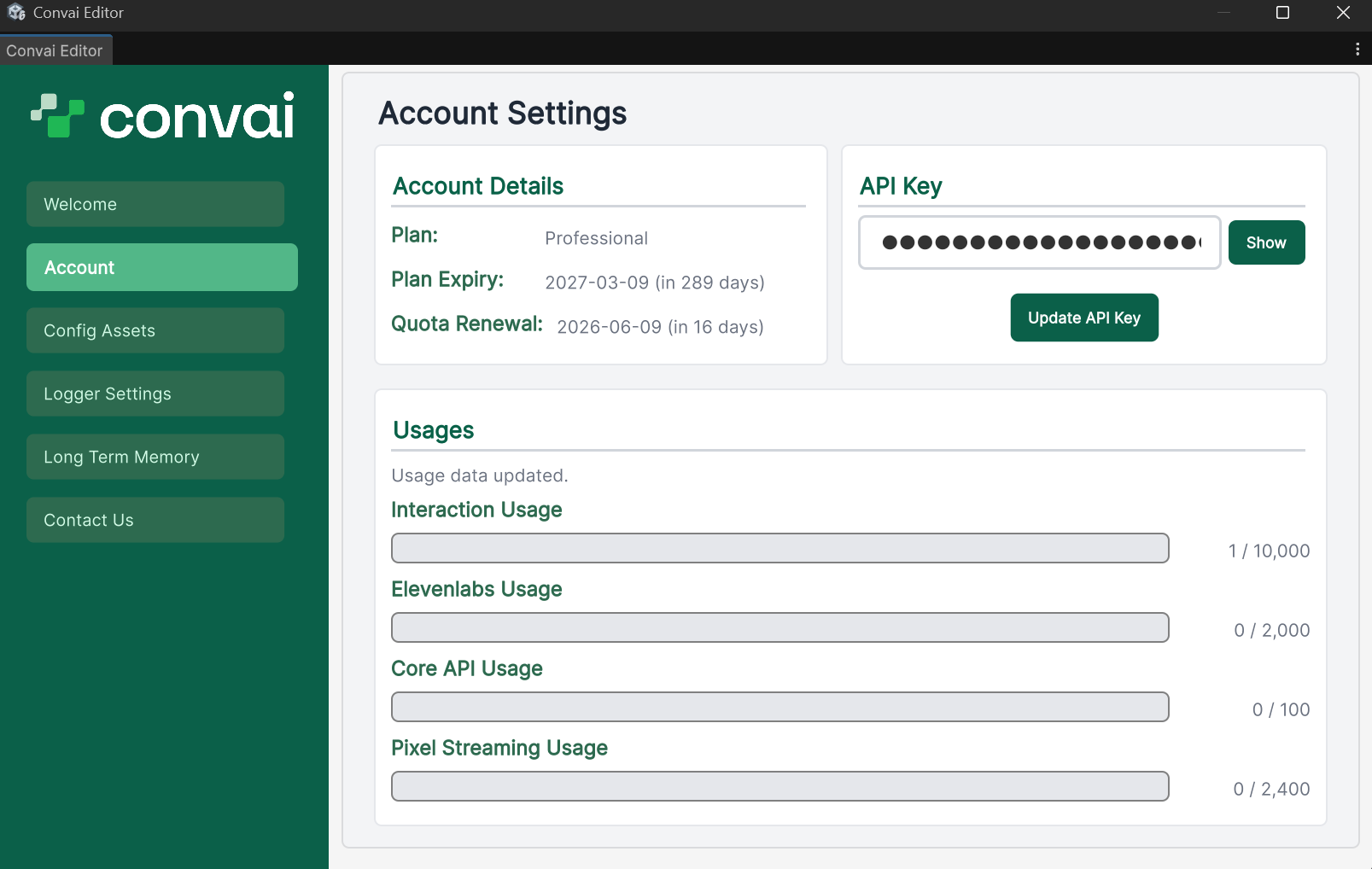
登录到你的 [Convai 仪表板](https://convai.com),然后导航到 **账户设置**,并复制你的 API 密钥。
{% endstep %}
{% step %}
#### 打开凭据部分
在 Unity 编辑器菜单栏中,打开 **Convai > 设置** (或 **Edit > Project Settings > Convai SDK**),然后选择 **凭据** 部分。保留 **认证模式** 设置为 **API 密钥**,其默认值。
{% endstep %}
{% step %}
#### 粘贴并验证 API 密钥
将你的 API 密钥粘贴到 **API 密钥** 字段中,然后选择 **验证并保存**。Convai 会检查该密钥,如果接受该密钥,SDK 会将其保存到项目中。
按钮旁边的状态徽章会报告结果: **密钥有效** 当 Convai 接受该密钥时,或显示如下错误消息: **密钥无效** 当它不被接受时。
{% endstep %}
{% step %}
#### 验证密钥是否被接受
运行 **GameObject > Convai > 验证场景设置**。缺少 API 密钥会在验证器对话框中显示为警告。如果没有出现 API 密钥警告,则说明你的密钥配置正确。
{% endstep %}
{% endstepper %}
### 运行时密钥的使用方式
SDK 会在发起任何与 Convai 的连接之前,从 `ConvaiSettings` 通过 `ICredentialProvider` 接口中读取密钥。你无需在代码中手动传递该密钥——SDK 会在启动时自动解析它。
`Assets/Resources/ConvaiSettings.asset` 以混淆形式(XOR 加 Base64)存储该密钥,而非加密——任何拥有 SDK 源代码的人都可以将其还原。是否将此文件提交到源代码管理,应根据你团队的安全策略决定。如果项目之前以明文存储了该密钥,SDK 会在 Unity 编辑器第一次加载时自动将其迁移为混淆格式。
### 在发布之前切换到 Auth Token 模式
API 密钥模式没有服务器签发、短期有效凭据的等价物——解锁你的 Convai 项目的同一个账户密钥会包含在构建中。对于分发给测试者、玩家或最终用户的任何构建,请改为切换到 Auth Token 模式;在该模式下,构建处理器会在构建前移除账户密钥,并由你控制的服务器在连接时签发短期令牌。
{% content-ref url="/pages/5c8198db09e24a6ea14c4fe27e4c76651e64ccca" %}
[身份验证](/api-docs/zh/cha-jian-yu-ji-cheng/convai-unity-sdk/authentication.md)
{% endcontent-ref %}
{% content-ref url="/pages/fdc49f930fecd7fb00d337f46a900594f8f26fb5" %}
[自定义凭证提供器](/api-docs/zh/cha-jian-yu-ji-cheng/convai-unity-sdk/advanced-topics/custom-providers/custom-credential-provider.md)
{% endcontent-ref %}
### 下一步
在你的 API 密钥就位后,先导入一个示例场景以验证 SDK 是否正常工作,然后再构建你自己的场景。
{% content-ref url="/pages/339e02ef9174c5dbcb43ce3f1d3e39f9753fd9ae" %}
[导入并运行示例场景](/api-docs/zh/cha-jian-yu-ji-cheng/convai-unity-sdk/getting-started/import-and-run-sample-scenes.md)
{% endcontent-ref %}
---
# Agent Instructions
This documentation is published with GitBook. GitBook is the documentation platform designed so that both humans and AI agents can read, navigate, and reason over technical content effectively. Learn more at gitbook.com.
## Querying This Documentation
If you need additional information that is not directly available in this page, you can query the documentation by asking a question.
Perform an HTTP GET request on the following URL with the `ask` and `goal` query parameters:
```
GET https://docs.convai.com/api-docs/zh/cha-jian-yu-ji-cheng/convai-unity-sdk/getting-started/configure-api-key.md?ask=&goal=
```
`ask` is the immediate question: it should be specific, self-contained, and written in natural language.
`goal` is what the user is ultimately trying to achieve, the reason they need the answer. Sharing it helps GitBook give you a better, more relevant answer. A goal is most helpful when it describes the outcome the user wants rather than restating the question. For example, with `ask=how do I create an API token`, a goal like `automate deployments from our CI pipeline` lets GitBook tailor the answer to that use case.
The response will contain a direct answer to the question and relevant excerpts and sources from the documentation.
Use this mechanism when the answer is not explicitly present in the current page, you need clarification or additional context, or you want to retrieve related documentation sections.